The Samsung S5560, or Samsung Marvel (no, it has nothing to do with Iron Man, Hulk, or Spider-man), is a full touchscreen phone which comes with the following features:
- 3.0" 262K colours, WQVGA TFT LCD Touch Screen (240x400)
- 5MP Camera with Power LED, Auto Focus and video editor
- 3.5mm ear jack, Voice Recorder and Find Music
- Smart Unlock (Unlock, Speed Dial & Application Launcher)
- GSM Quad band (850/900/1800/1900MHz)
- MP3 player
- 60MB internal memory
- MicroSD support up to 16GB
- Wi-Fi (802.11 b/g)
- FM Radio with RDS
- Bluetooth 2.0
- Weight: 98.1g
- Dimension: 107.5 x 52.0 x 12.9mm
- and some other stuffs which I will talk about later
So let's begin with the basic stuff you'll get upon purchase of the Samsung S5560:
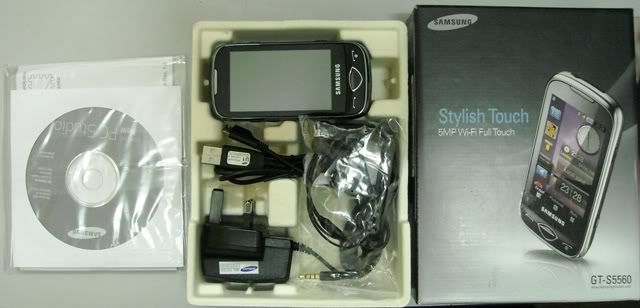
For RM620 (I got mine for that price), you'll get the phone itself, the charger, data cable, headset (in-ear type), software CD, manuals, warranty card, and that's it. Packaging is pretty simple, which probably helps to cut down the cost. The headset has average sound quality. Good enough for voice calls, but not for music. The good news is, you can always get a better pair of headphones and plug it in the 3.5mm jack. It works fine with my Audio-Technica ATH-AD500.
Now let's take a look at the phone itself.

On the front surface you'll find that there are 3 major buttons below the 3-inch resistive touchscreen. The button on the left brings up the call log, answers calls, and dials your contacts. The middle diamond-shaped button is the 'back' button, which brings you back to the previous menu or previous webpage in the browser. And finally, the right button is the power button, which also functions to end calls, return to the main screen, and exit applications. Do note that the buttons are not touch buttons. You have to click them like you normally would on normal buttons. The touchscreen comes with pre-applied screen protector, so you don't have to worry about scratches on your brand new Samsung phone.
Anyway, being a resistive touchscreen, you'll need to press the screen with a little more force than you normally would on a capacitive touchscreen. It's more like a 'firm-press-screen' rather than a 'touchscreen'. It doesn't pose much of a problem in terms of clicking, but it's might be a little troublesome if you would like to use the handwriting recognition feature on this phone when the letters you write appear as disconnected lines on the screen. You'll get used to it after a while though, and once you do, you'll find that the handwriting recognition software is quite excellent. A stylus would probably help with the handwriting, though it's not provided with the phone. One advantage of the resistive touchscreen is that you don't have to lift your thumb when typing a message using the keypad. Say you want to type the letter 'c', you'll just need to touch the number 2 keypad (abc), and press it 3 times without lifting your thumb. Just like how you would normally type a message on a normal keypad. A capacitive touchscreen is not very good at this, you'll need to raise your thumb after each touch (meaning you'll have to tap the number 2 keypad 3 times).
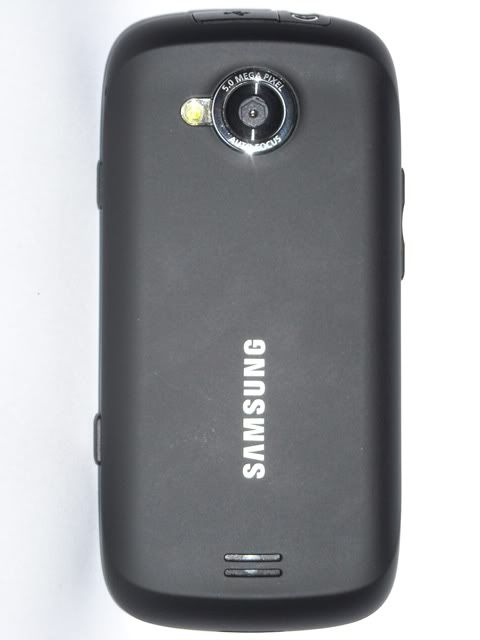
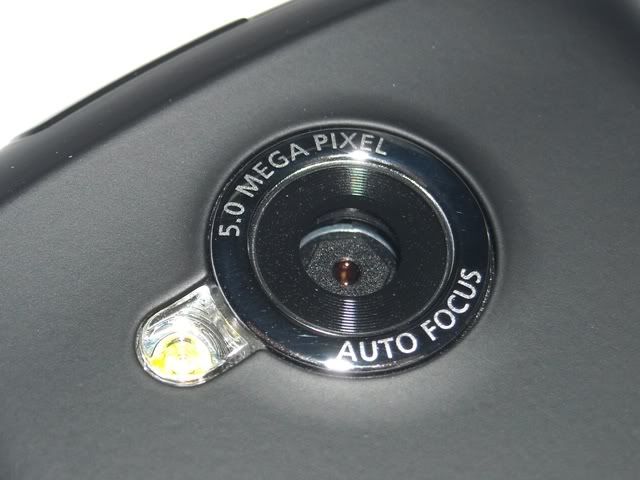
On the back of the phone is where you would find the camera and the grooves for the loudspeaker. The 5.0 megapixel camera with auto focus and LED flash takes excellent pictures (for a phone). I'll provide some sample pictures taken with the camera in the 3rd part of the review. Sound quality of the loudspeaker is decent, although the maximum volume is really not that loud. I've been having problems waking up in the morning ever since I'm using this phone as my alarm clock (my previous phone is a Motorola V3), and sometimes I can't even hear incoming calls when I'm in a moderately-noisy place, such as the mall. And yes, the ringtone was set at the maximum volume. Anyway, the back of the phone is made of plastic, though it gives a smooth rubbery feel, which gives you a good grip of the phone. Notice that the edges of the phone are mostly smooth rounded edges, which makes it quite comfortable to hold in your hands.
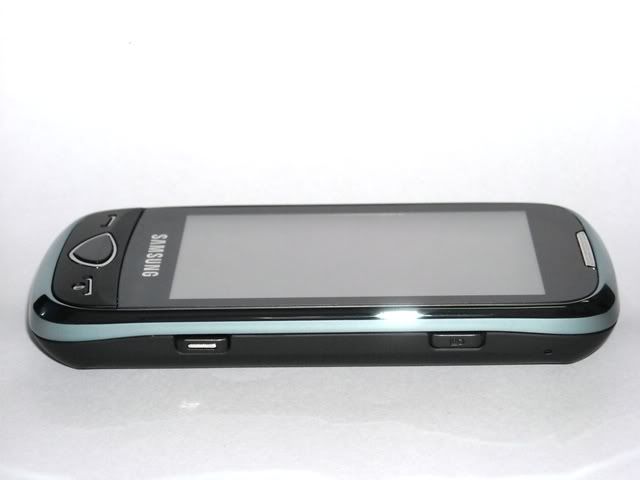
On the right side of the phone are the lock button (top, black) and the camera button (bottom, white). Buttons are within easy reach, though the position of the camera button makes it inconvenient to take portrait pictures with one hand. Camera button can be half pressed to activate the auto focus.
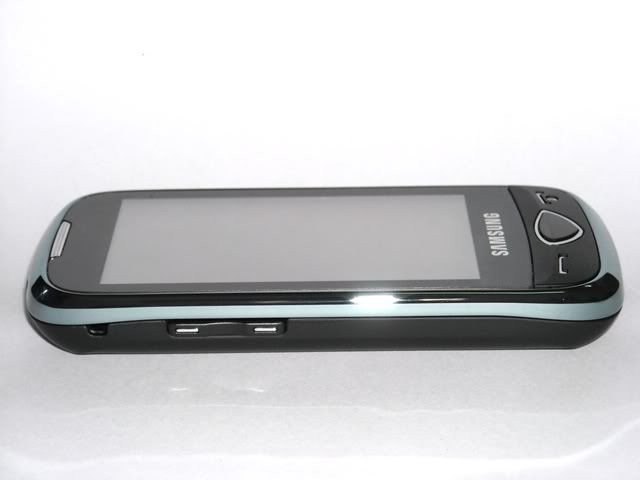
On the left side of the phone, you would find the volume up/down buttons, which also function as the scroll up/down or zoom in/out buttons depending on the application. There is also a small hole just above the volume buttons, where you can attach a lanyard to the phone.
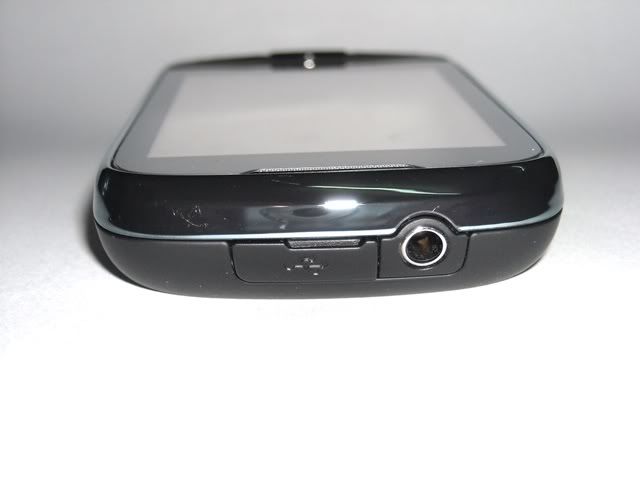
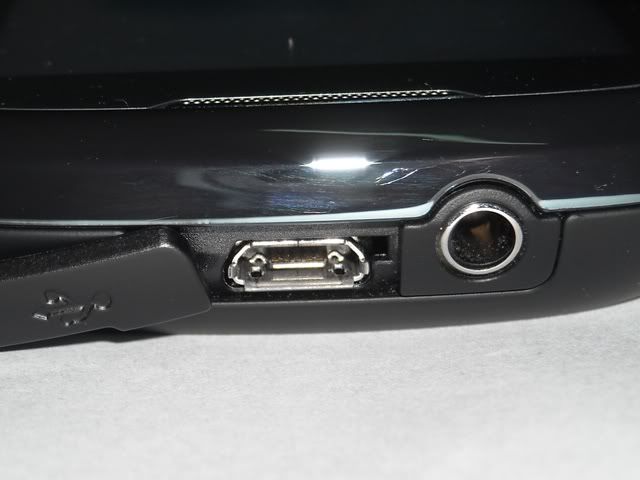
On top of the phone are the 3.5mm headphone jack and the charging / USB data port. Besides using the conventional charger, you can charge the phone by plugging the phone to your PC's USB port as well. Sound quality from the 3.5mm minijack is great for a phone.
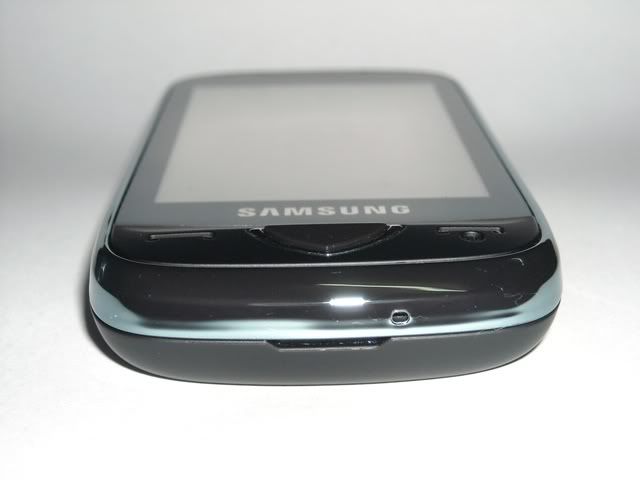
On the bottom is where you could find the mouthpiece (the tiny hole), and a small groove to help you open the back cover of the phone. With the back cover opened, you could swap the memory card (MicroSD) without having to remove the battery. The same goes to the SIM card, though you need to do it with the phone switched off, or else it won't recognize the inserted SIM card. If that happens, you'll just need to restart the phone and it'll work fine.
Overall, in terms of the external design, I absolutely love the way this phone looks. The minimalist approach to the design gives the phone a sleek and elegant profile, without sacrificing function.
Coming up next: User interface and other features.